
Flight Plan: One decision.
One shot. Commit.
Flight Plan is out on the App Store and Google Play. Get the distance and direction of the green and the wind, and once you have finished the hole, the direction of the next tee, wherever you are and whatever the weather.
Free to download on the App Store (iPhone, iOS 15 or later) and on Google Play (Android). UK courses only for now.
See it on your phone
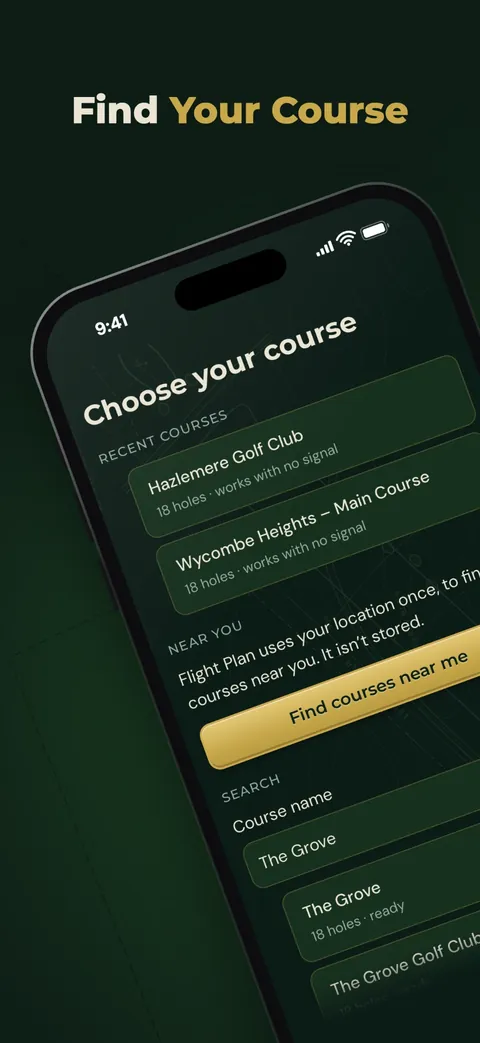
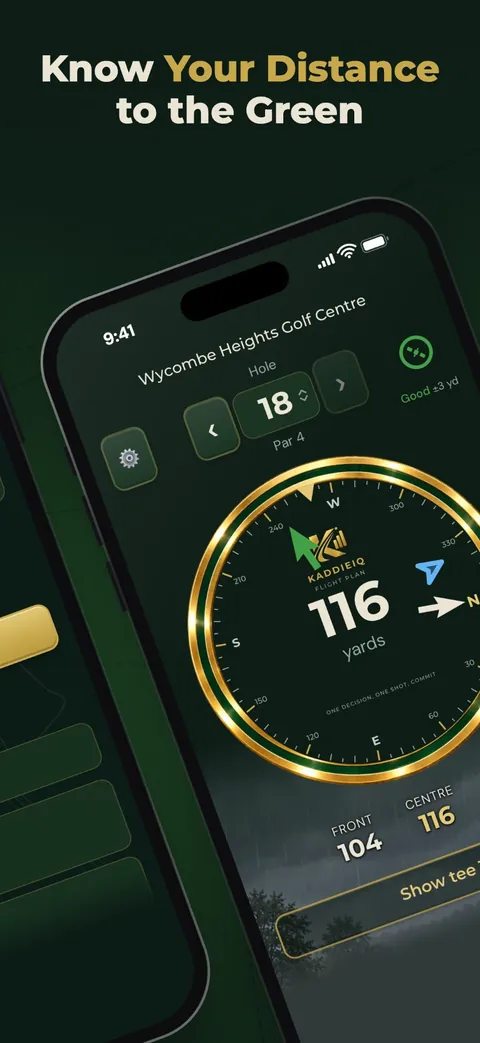
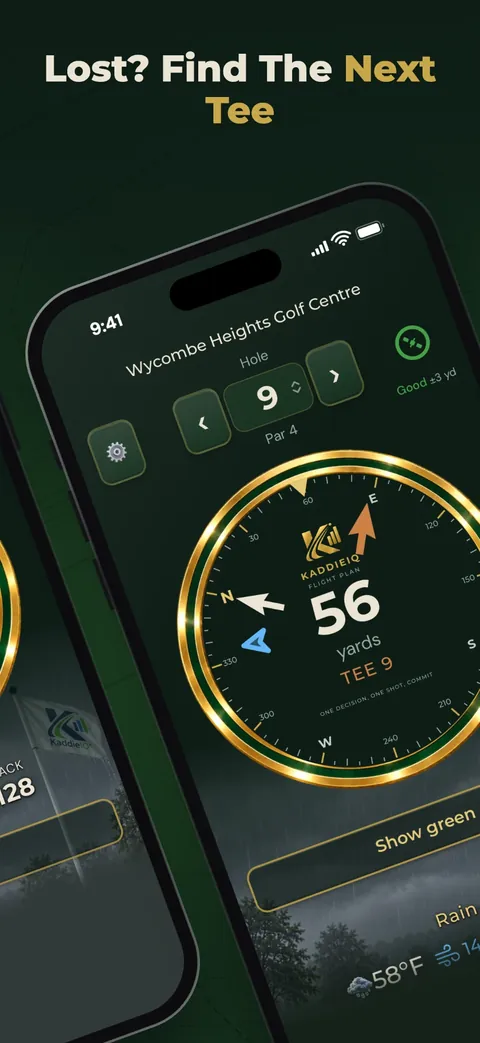
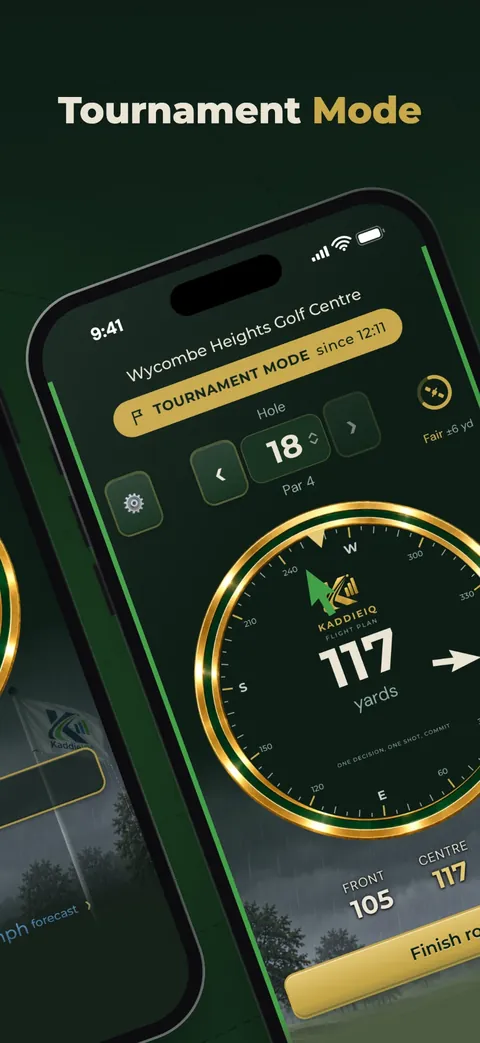
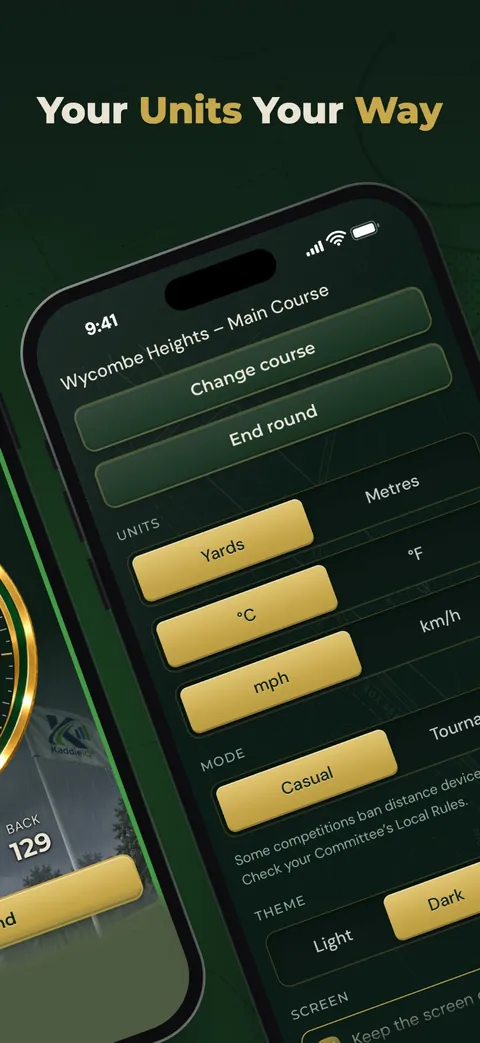


What Flight Plan does
Flight Plan is built for the moment before the shot. One dial shows the distance to the front, middle and back of the green, an arrow that points at the green, and an arrow for the forecast wind. With Flight Plan Pro, when you finish a hole the arrow turns to the next tee, so you can see which way to head.
Golf is often played where the signal is poor, so Flight Plan is built to keep working there. Open your course once with a signal, and its distances, arrows and hole changes work with no signal after that. Weather refreshes when you are back in range. Rain and thunderstorm warnings are forecasts, so always follow your club’s siren and staff.
For competitions, Tournament mode turns off the wind arrow and wind speed to stay within Rule 4.3 of the Rules of Golf. A Committee can still ban distance-measuring devices with a Local Rule, so check before you play.
The app and Flight Plan Pro
- The app (free): one course, the distances to the front, centre and back of the green, the direction arrow, the wind arrow, a rain ticker and a thunderstorm warning.
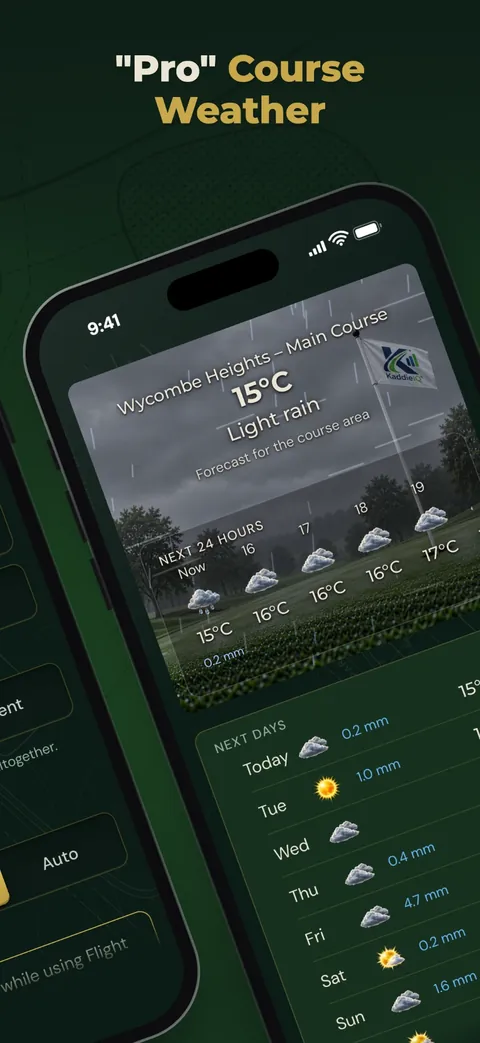
- Flight Plan Pro: every course, the weather for your selected course (24 hours, a 9-day outlook and detailed statistics, including sunrise and sunset times) and the next-tee arrow after you change hole.
Flight Plan Pro is £3.49 a month or £24.99 a year in the UK. It renews automatically unless you cancel at least 24 hours before the end of the period, and you can manage or cancel it any time in your iPhone Settings, under your name, then Subscriptions. You must be 16 or over to use Flight Plan, and 18 or over to subscribe. Course maps come from OpenStreetMap contributors. Forecasts come from MET Norway.
It sits alongside Lie Detector and ShotIQ® as part of KaddieIQ®’s on-course decision system, each covering a different part of the next shot: the lie you’re in, the distance and direction to the green, the swing itself. BallFIT Pro launched on 2 November 2026 and ShotIQ is due in spring 2027; Flight Plan is out now on the App Store and Google Play.
Add your email above and we’ll only be in touch when there’s something worth reading, such as a new feature.